LS Laird Scabar
All projects Project 04 — Automation

Python Internship Scraper

Checking a hundred job boards by hand is a bad use of a weekend, so I wrote something to do it instead.

Type
Personal tool
Sources
Greenhouse + Lever APIs
Interface
Streamlit dashboard
Language
Python
Longer, in-depth explanation Flip the switch for the full technical breakdown

Quick explanation

What it does

  • Most companies post internships through the same two systems — Greenhouse and Lever — but each company runs its own board.
  • Finding roles by hand means checking dozens of sites one at a time.
  • This pulls all of them through their APIs, filters to mechanical, mechatronics and software roles, and removes duplicates.
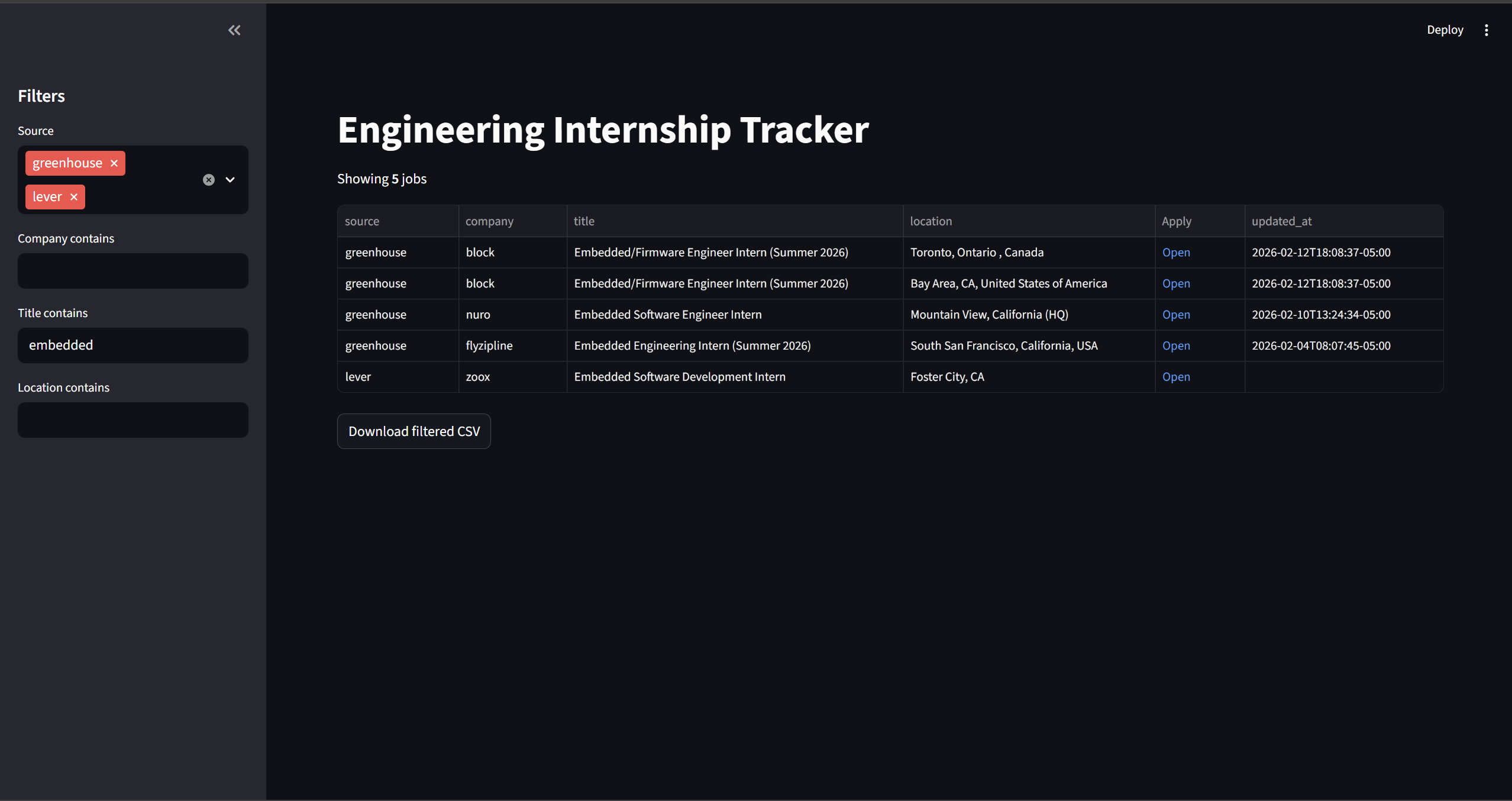
  • Everything lands in one Streamlit dashboard I can sort, filter, and export.
The internship tracker dashboard

Deep dive

How the scraper works

Part 1: the approach

1. APIs, not HTML scraping

Greenhouse and Lever both expose public JSON endpoints per company board. That means job data can be fetched directly instead of scraping HTML that breaks the moment someone changes a CSS class.

  • This was the decision that mattered most — it made the tool dramatically more stable.
  • It also meant never dealing with rate limiting, bot detection, or brittle selectors.
  • The tool walks a list of company board tokens and hits each endpoint in turn.

Part 2: the pipeline

2. Fetch, normalise, filter, dedupe

  • Fetch — request each company's endpoint with requests, handling failures per company so one bad response can't kill the whole run.
  • Normalise — the two providers return different shapes, so both map into a common schema: title, company, location, department, posting date, URL.
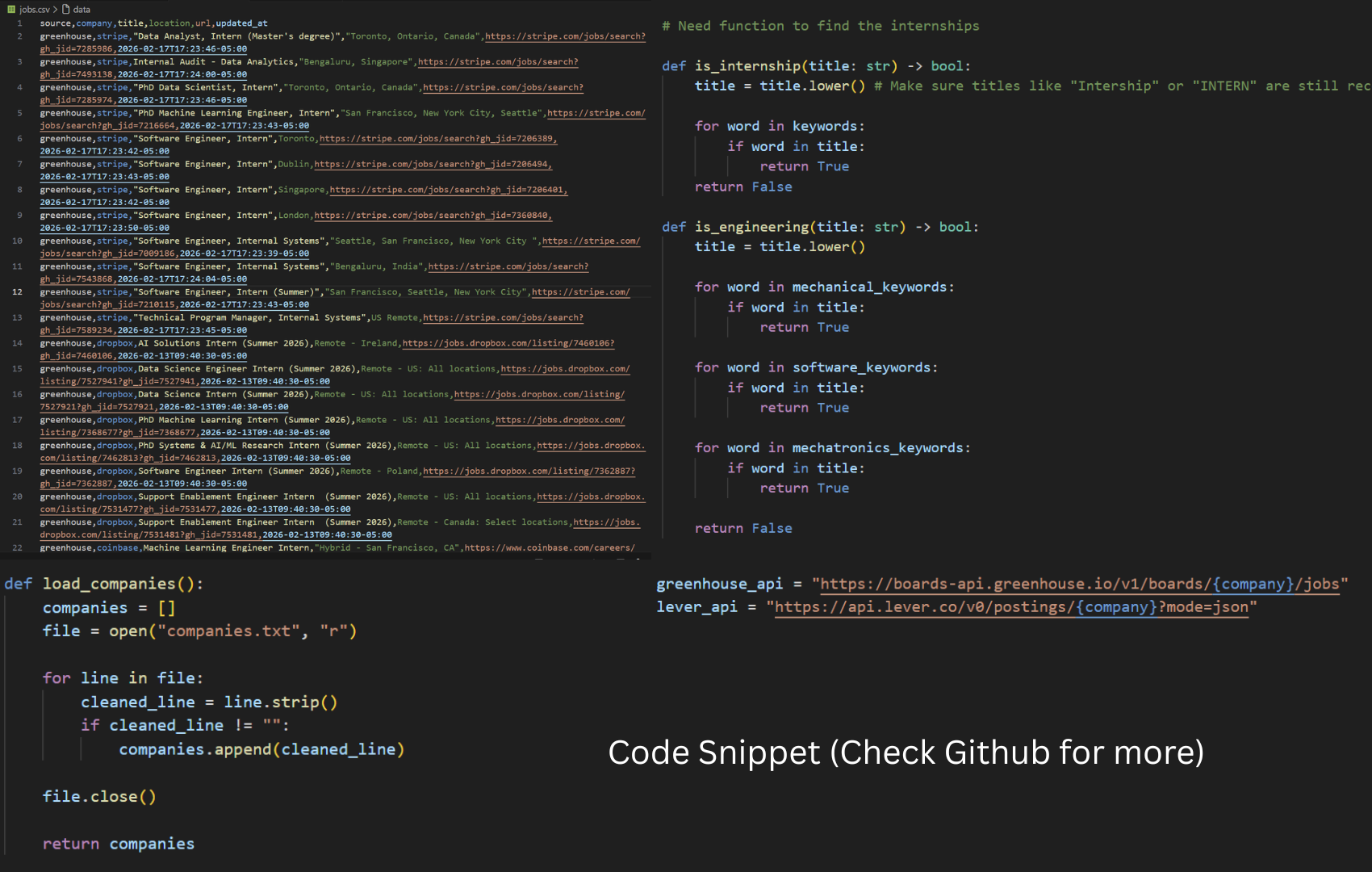
  • Filter — keyword matching on titles and departments to keep mechanical, mechatronics and software roles, and drop senior and full-time postings.
  • Deduplicate — the same role often appears under multiple departments, so rows dedupe on company plus normalised title.
The scraper source code

Part 3: the interface

3. Putting a face on a script

  • The resulting Pandas dataframe renders in Streamlit with filters and CSV export.
  • Streamlit turned out to be a fast way to put a usable interface on a script without writing any front-end code.
  • Filtering is deliberately keyword-based and slightly over-inclusive: a false positive costs me two seconds of reading, a false negative means missing a role entirely.
The Streamlit dashboard with filters

Part 4: what I took away

4. Real data is messy

The interesting part wasn't the code — it was how inconsistent third-party data actually is once you stop looking at tutorial examples.

  • Missing fields, wildly inconsistent location strings, and the same job posted three different ways.
  • Most of the real work was normalisation and defensive handling, not the requests themselves.