LS Laird Scabar
All projects Project 03 · Robotics

Oculus-Controlled Robotic Arm

A 5-DOF arm I designed, printed and wired myself. I open a model of it in AR, drag the end of that model around, and the real arm follows.

Type
Personal build
Degrees of freedom
5 + gripper
Control
WebXR → Node.js → ESP32
Parts
All printed on a Bambu A1
Longer, in-depth explanation Flip the switch for the full engineering breakdown

Quick explanation

What it is

  • A 5-DOF robotic arm I took from a first sketch on paper through to a working machine. Every part was designed in SolidWorks and printed on my Bambu A1.
  • An app in my headset puts a 3D model of the arm in the room in front of me. I drag the end of that model around and the real arm follows it.
  • There's a toggle between a free mode and one that keeps the gripper parallel to the ground.
  • The joints carry their loads on bearings rather than servo output shafts, and the shoulder uses two mirrored servos so they share the torque at the heaviest joint.
  • The gripper is a linear parallel design, so the jaws stay flat to each other and the grip point doesn't move as they open.
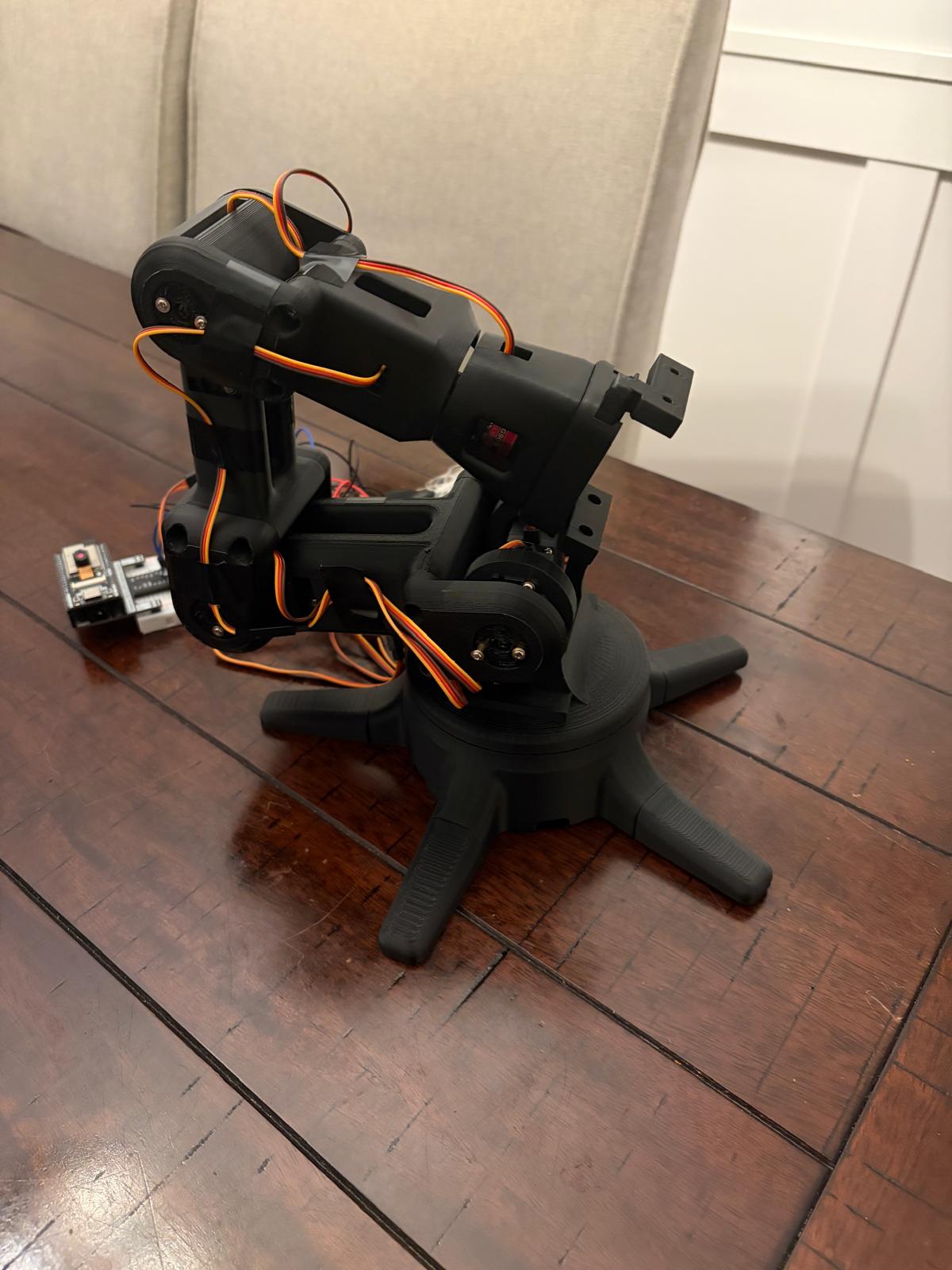
The finished robotic arm

Deep dive

How the arm came together

Part 1: why I built it

1. A project I owned end to end

  • I wanted a robotics project that was mine from start to finish, from the first sketch on paper through to a physical product sitting on the desk.
  • I had a new 3D printer and wanted to learn it properly, rather than only printing other people's files.
  • I also wanted to find out whether what I knew in CAD would hold up on parts I actually had to manufacture myself.

Part 2: driving it from a headset

2. Dragging a model and watching the arm follow

  • An app in the headset opens a 3D model of the arm in AR, floating in the space in front of me.
  • I drag the end of that model wherever I want it and the real arm follows in real time.
  • A toggle switches between a free mode and one that holds the gripper parallel to the ground, which is what you want when you're picking something up off a table.
  • The demo video is filmed through the headset. The AR overlay doesn't show up in the capture, so you see the arm moving but not the model I'm dragging.
The finished arm

Part 3: mechanical design

3. Keeping loads off the servo shafts

  • The shoulder pivot uses two mirrored servos so they share the torque at the joint carrying the greatest load.
  • Each of the two elbows pairs one servo with one bearing on the opposite side, so the radial and bending loads run through the bearing.
  • A servo output shaft is meant to transmit torque, not hold up a moving arm. Putting the bearing opposite it is what keeps those loads off the servo.
  • Every structural part was modelled in SolidWorks and printed in FDM, with off-the-shelf bearings and fasteners.
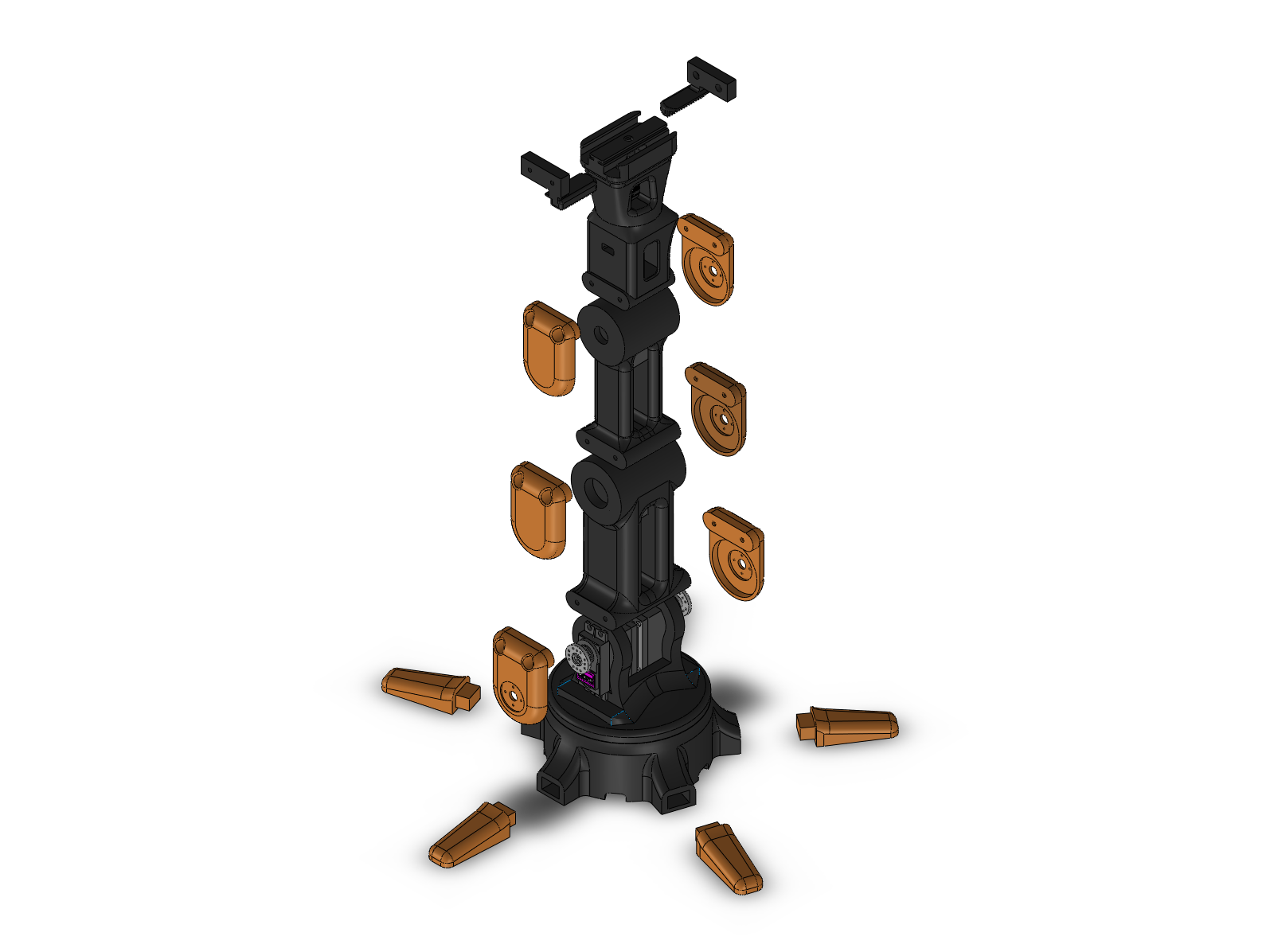
Exploded view of the arm assembly

Part 4: the gripper

4. Why the jaws stay parallel

  • The gripper is a linear parallel design. I worked it up from reference designs I found online, then iterated until it suited my printed tolerances and dropped cleanly into the rest of the arm.
  • Parallel jaws stay flat to each other and travel in a straight line, so the contact point sits in the same place no matter how far the gripper is opened.
  • The fingertips on a pivoting claw swing through an arc as they close, which shifts the grip point and means the arm has to be placed differently for every object width.
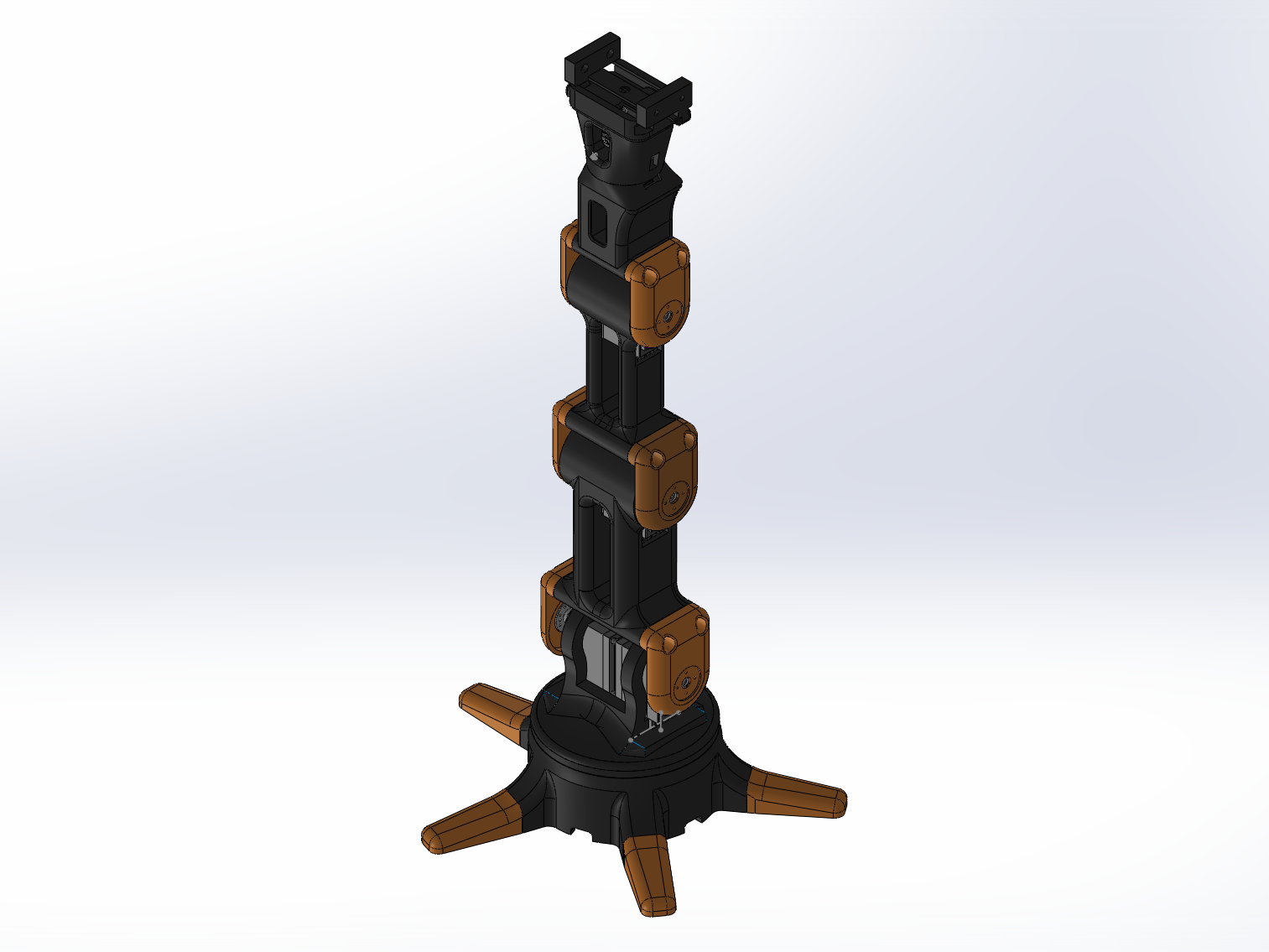
The arm assembly in SolidWorks

Part 5: iteration

5. Three rounds before it went together properly

  • This is the part I learned the most from. Certain parts took roughly three rounds of iteration before the arm assembled the way it was supposed to.
  • Print orientation: working out how to lay a part out so the layer lines aren't facing the load.
  • Tolerances: designing for press fits and for the clearances a printed part actually comes out at.
  • Assembly: no fasteners in places you can't reach with a hand tool. It sounds obvious until you've printed the part that has one.
  • Power: running a system with real current draw rather than something that just blinks an LED.
  • The lesson was that nothing is done in one try, and it shouldn't be. You learn, iterate and improve as you go.

Part 6: the control stack

6. From headset to servo

  • The VR app solves the inverse kinematics and sends joint angles at 50 Hz, the same rate the servos take their PWM signal at.
  • A Node.js bridge on the computer maps those joint angles into servo commands, because the headset's browser can't talk to the hardware directly.
  • C++ firmware on an ESP32 handles the servo communication and enforces velocity and acceleration limits so nothing snaps to a new position.
  • It runs over serial when the board is plugged into the computer, or UDP over Wi-Fi when it isn't.
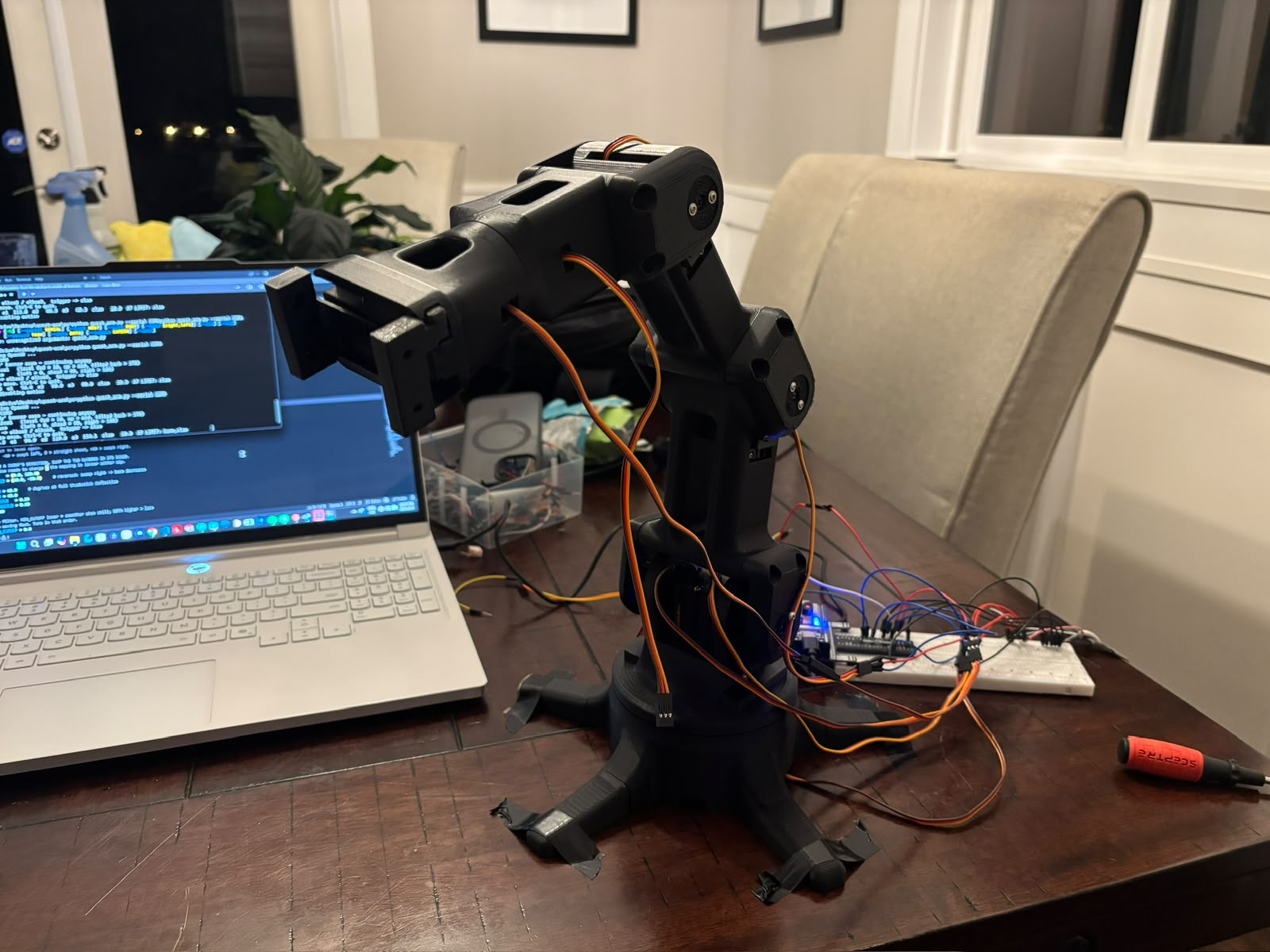
The arm wired to its controller on a breadboard

Part 7: what's next

7. Replacing the nest of jumper wires

  • The next thing I want to do is design a PCB to replace the breadboard.
  • That puts the servo power distribution, the ESP32 and the signal routing onto a single board instead of a nest of jumper wires.
  • The wiring is easily the least reliable part of the project right now, so it's the obvious thing to fix next.